AI & Product Design
How I decide what’s worth building with AI
The research, design decisions and prototypes that help me work out whether an idea deserves a place in someone’s day.
By Tino Kuhn
The research, design decisions and prototypes that help me work out whether an idea deserves a place in someone’s day.
When someone brings me an idea for an AI product, I’d like to see how they do the job today. I’m particularly interested in the bits they’d leave out of a demo. The spreadsheet they check before answering a question. The colleague they ask when a record looks wrong. The little note they leave for whoever’s on tomorrow. If I can understand what those things are doing for people, I’ve got somewhere to start designing.
I used AI to help write this article.
Here’s an exercise I’d use with a team. Draw the job twice, once as it works today and once with the assistant doing its part. Then give the pen to the person who has to check the result. Ask them to add everything they’d need to do before they’d be comfortable using it. If they draw back half the steps you just removed, you’ve learnt something fairly important before writing much code.
Find out what the workaround is protecting
I ran into this question while designing Practicia, an assistant I’m building to give small allied-health practices more time for the people they look after. A psychology practice manager walked me through work that ranged from messages, appointments and intake forms to billing and getting new practitioners started. That gave me several possible places to help. It also gave me a reason to look closely at how work passes between people.
Take a request to move an appointment. One person may have offered a time, another may have updated the diary, and the client may still be deciding. All three can appear in a conversation about the same booking. Before asking AI to produce a reply, I needed to decide what the next staff member would understand when they opened that conversation. An offer and a confirmed appointment had to look different.
That’s the kind of detail I’m looking for in research. If somebody checks the diary every time they pick up a colleague’s enquiry, it’s tempting to count the check as wasted effort. Ask what happened the last time they skipped it. You might discover a missing piece of information you can put on screen. You might also discover a check the product ought to keep.
Build the version that can answer the question
My first Practicia walkthrough asked people to imagine too much. The workspace was empty. Connecting an inbox looked like a fair bit of effort before anyone could see what they’d get in return. More explanation wouldn’t have fixed that.
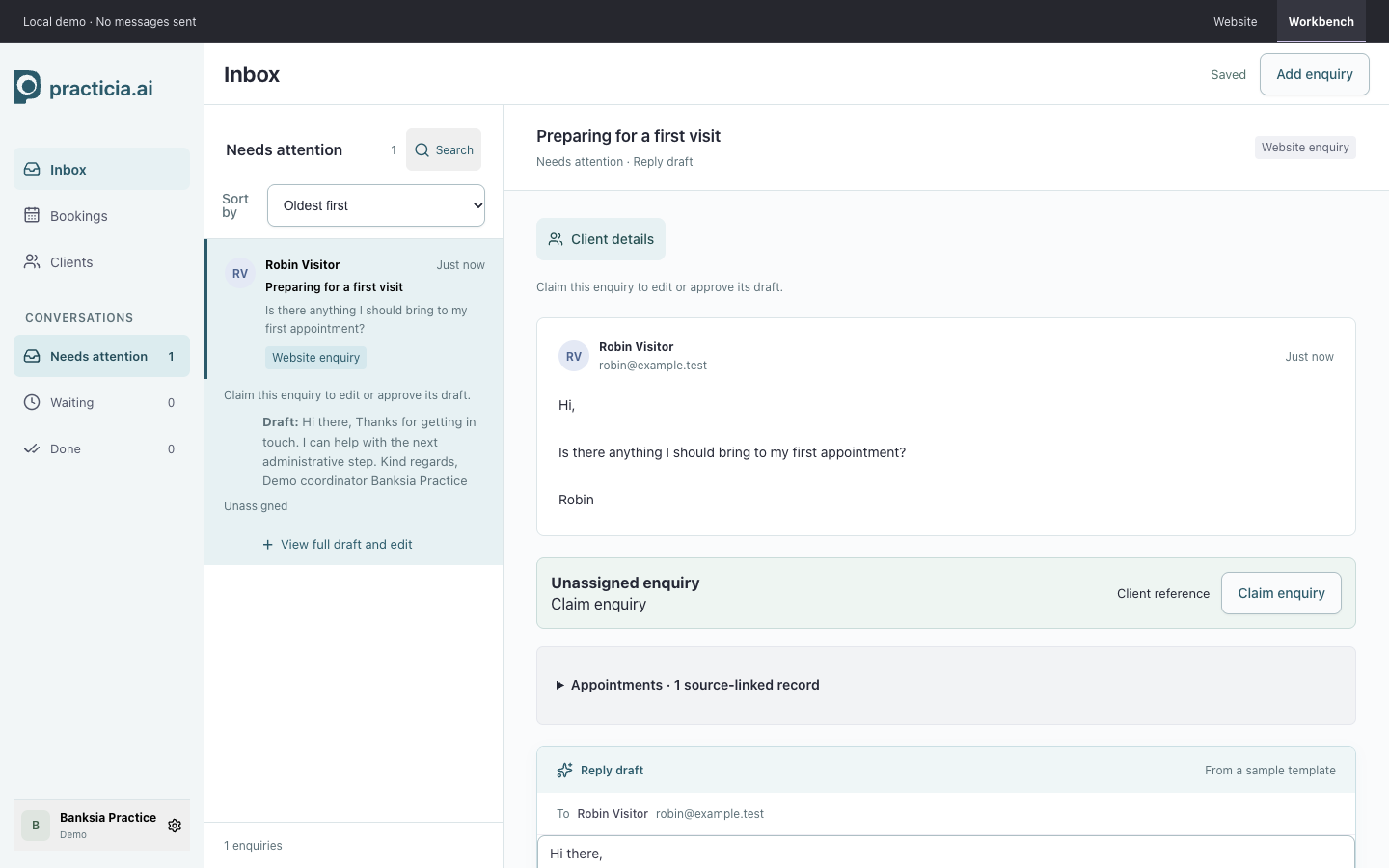
I used AI coding tools to build a version with fictional clients, enquiries and bookings. Someone could make a booking on the example practice website, find it in the diary and return to the staff workspace. That gave me something a set of screens couldn’t. I could leave halfway through a task and see what the next person would actually find.
One test was to approve a draft reply, edit the wording and open it again. Should it still say “approved”? The staff member had checked one version. Changing the words could change what the practice was offering. Approval needed to belong to the version they had read. Another test interrupted the browser response just after approval. When the workspace recovered, it showed the saved decision once. These are small details until your name is on the reply.
If you’re building your own prototype, give the AI coding tool a starting record and tell it what should still be true when a second person opens that record. Then try it yourself. Close the record, open it as the next person and see whether you can tell what was agreed.
The same model can call for quite different designs
Consider two directions I’d like to explore. A client looking for a therapist might need step-free access, prefer afternoons and have a limit on what they can spend. A shortlist could explain which details are confirmed and let the client decide whether a morning appointment is worth considering. Quietly relaxing the access requirement to fill an empty list would make the result worse. I’d test whether someone could tell why each therapist appeared and change a preference without losing a requirement.
A clinician writing up a session has a different job. I’ve tested transcription with synthetic audio in a separate prototype. For a future summary, I’d start with the reporting format the practice already uses. With the client’s consent, could the assistant draft the relevant sections, leave an unmentioned detail blank and let the clinician check a sentence against the transcript before signing off? I’d deliberately leave a piece of information out of a test session. A neat, complete-looking report would be the wrong result if the assistant filled that gap itself.
The two features might both use a model to draw information together. The first person needs to compare and choose. The second needs to trace, correct and approve. That difference determines what I put on screen, what information the system can use and what I ask someone to do in a test. It also tells me where an ordinary filter or a template can do part of the job perfectly well.
Count what happens after the demo
If I were deciding whether to fund a pilot, I’d compare the prototype with the team’s usual way of doing the same job. I’d count the time spent checking and correcting, including the work passed to a colleague. For a referral, for example, a draft might take seconds. The thing I’d want to know a week later is whether somebody sent it and whether anyone had to chase it up.
Practicia’s front-desk demo uses fictional records and simulated sending. It gives me a way to test those decisions. Whether it gives a real practice time back is a question for a pilot.
At your next product review, let someone run the demo. Then hand it to the person who has to finish the job and ask them to carry on from there. Watch what they open next. That’s often where I’d start the next round of design.
For the six-stage process and prompts behind this approach, read my guide to designing products with AI.